Early access now open
Your calls, answered 24/7.
In your own voice.
CallVoy is an AI receptionist that clones your voice, learns your business from a short script, and picks up every call you can't — questions, bookings, messages. Set up in minutes, no phone system needed.
- Free to try
- No credit card
- Nothing to install
- ~1 min of audio to clone your voice
- 24/7 answering, including holidays
- 4 steps from sign-up to a live agent
Takes calls in 40 languages
- English
- Urdu
- Arabic
- Bengali
- Chinese
- Czech
- Dutch
- Filipino
- French
- German
- Greek
- Gujarati
- Hebrew
- Hindi
- Hungarian
- Indonesian
- Italian
- Japanese
- Korean
- Malay
- Marathi
- Nepali
- Norwegian
- Pashto
- Persian
- Polish
- Portuguese
- Punjabi
- Romanian
- Russian
- Sindhi
- Spanish
- Swahili
- Swedish
- Tamil
- Telugu
- Thai
- Turkish
- Ukrainian
- Vietnamese
What is CallVoy?
An AI receptionist that sounds like you
CallVoy is an AI receptionist for small businesses. It answers your phone around the clock in a cloned version of your own voice, so callers hear you rather than a robot — while you're with a customer, after hours and on holidays.
You set it up in your browser. Record about a minute of audio to clone your voice, pick a template — receptionist, appointment booking or lead qualification — and describe your business in plain English. Your agent then answers questions about opening hours, prices and services, collects what's needed to book or move an appointment, qualifies new enquiries and takes a message when it can't help. It speaks 40 languages, and every call is logged with a summary and a transcript.
Testing is free: call your agent from the page and refine the script until it sounds right. When you're ready, the Geniteam team connects it to a phone number and it starts answering real calls. CallVoy is built and supported by Geniteam.
How it works
From your voice to a live AI receptionist in four steps
You do the first three in your browser, today. The fourth is where we come in.
- 01
Clone your voice
Record about a minute of audio, or upload a clip. That's the voice callers will hear.
- 02
Tell it about your business
Pick a template — receptionist, appointments, lead qualifier — and tweak the script in plain English.
- 03
Talk to it in your browser
Call your agent right from the page, free. Ask what a customer would ask and refine until it's right.
- 04
Go live on a phone number
When you're happy, our team sets up a number for you and your agent starts answering real calls.
The product
What you'll be working with
The real CallVoy app, shown with a sample dental clinic's agents, voices and calls.
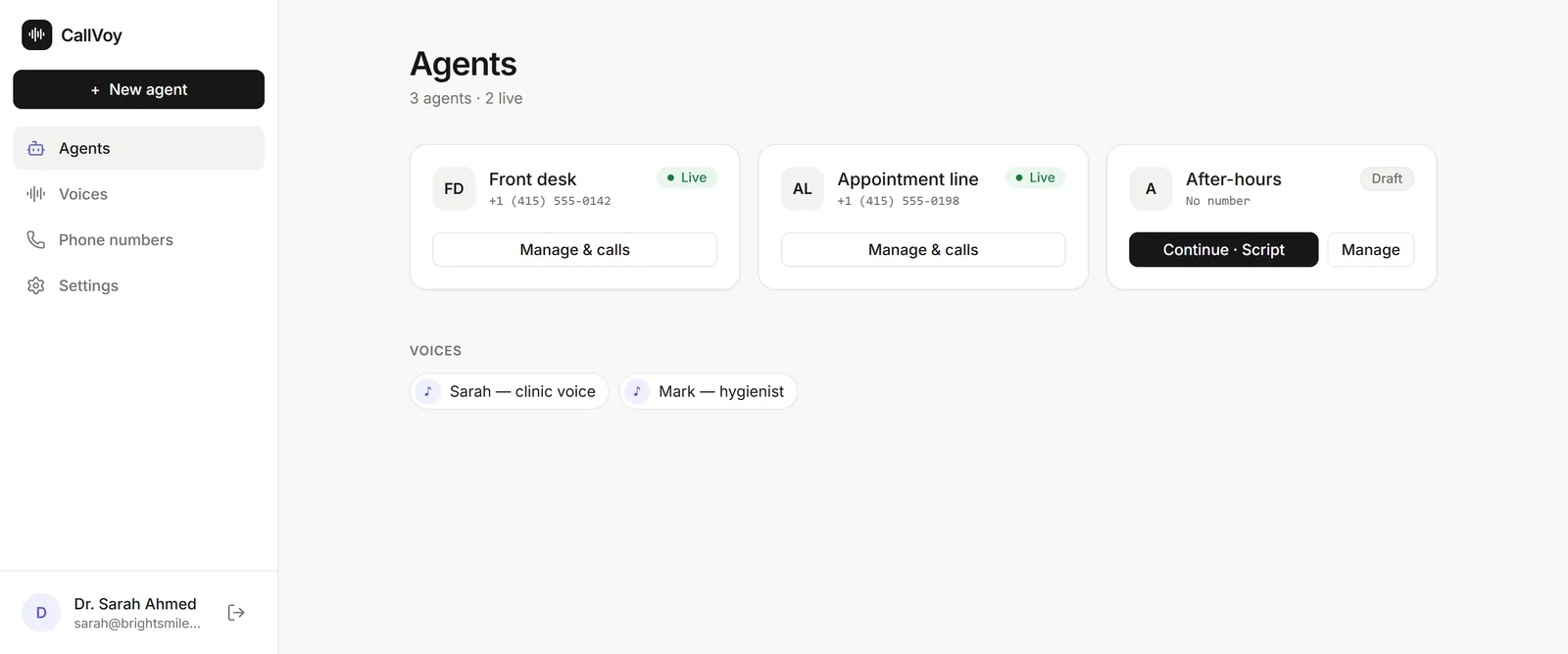
Your agents at a glance: who's live, and on which number. 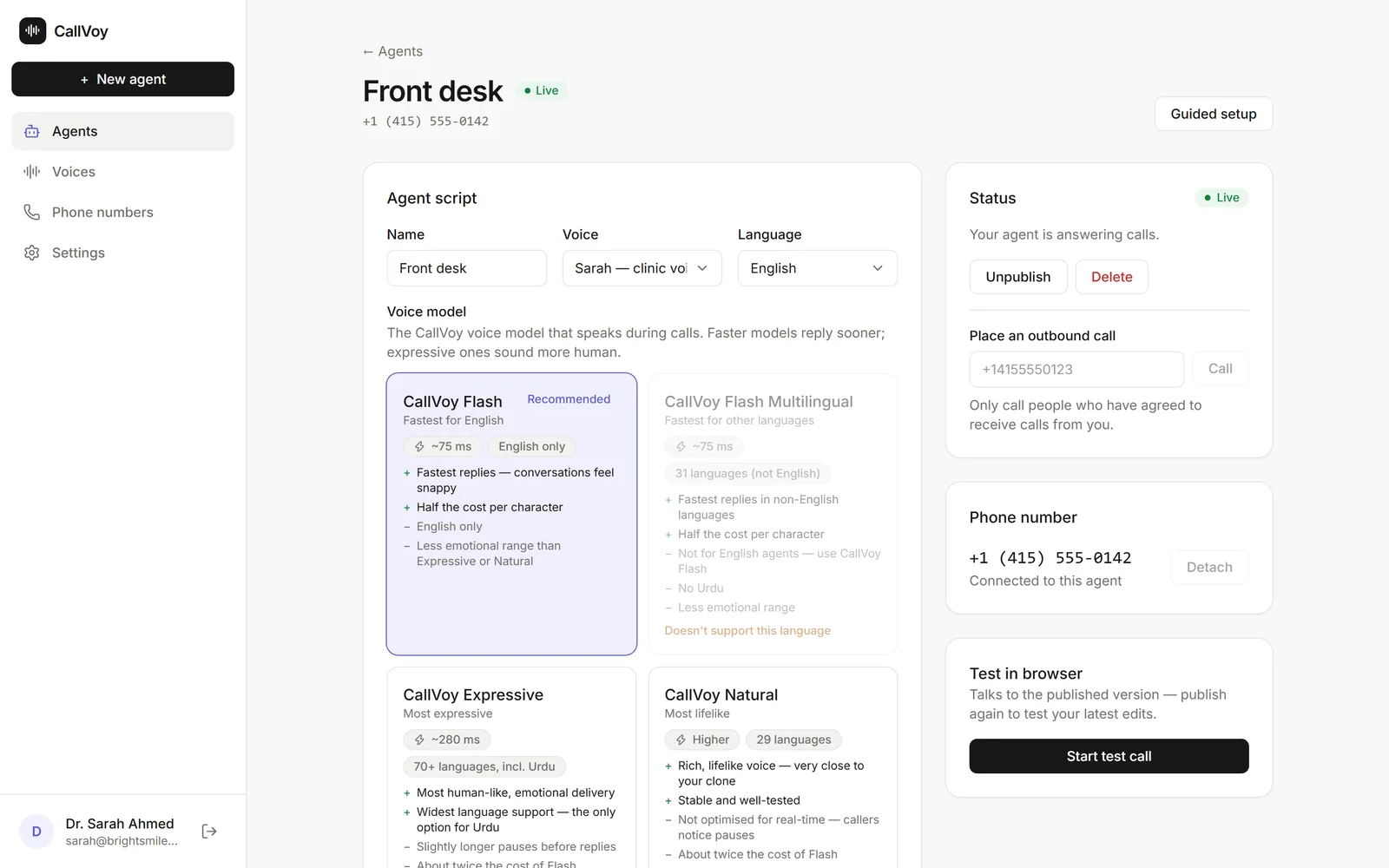
The script is plain English. Edit it any time and republish. 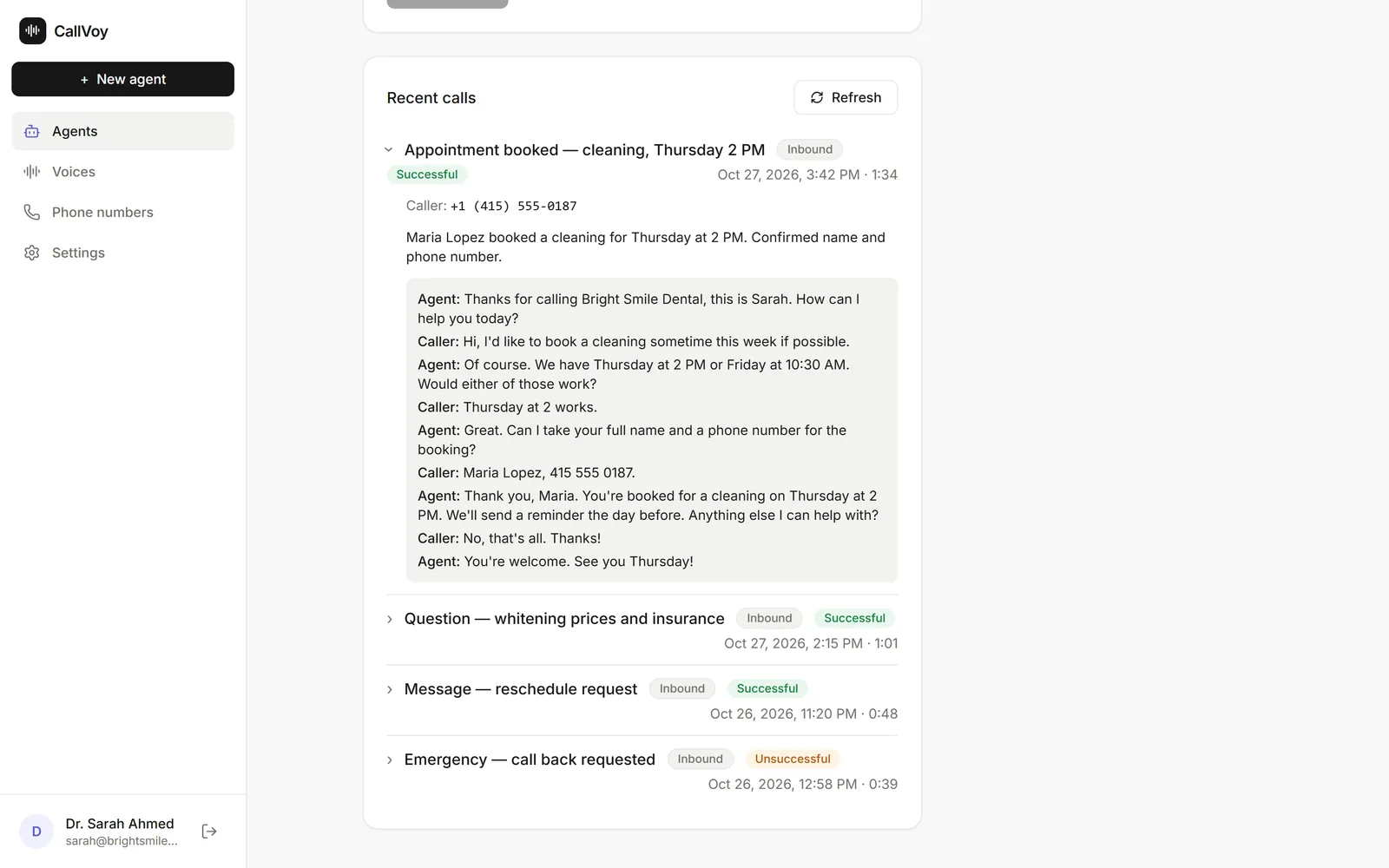
Every call is logged with a summary and the full transcript. 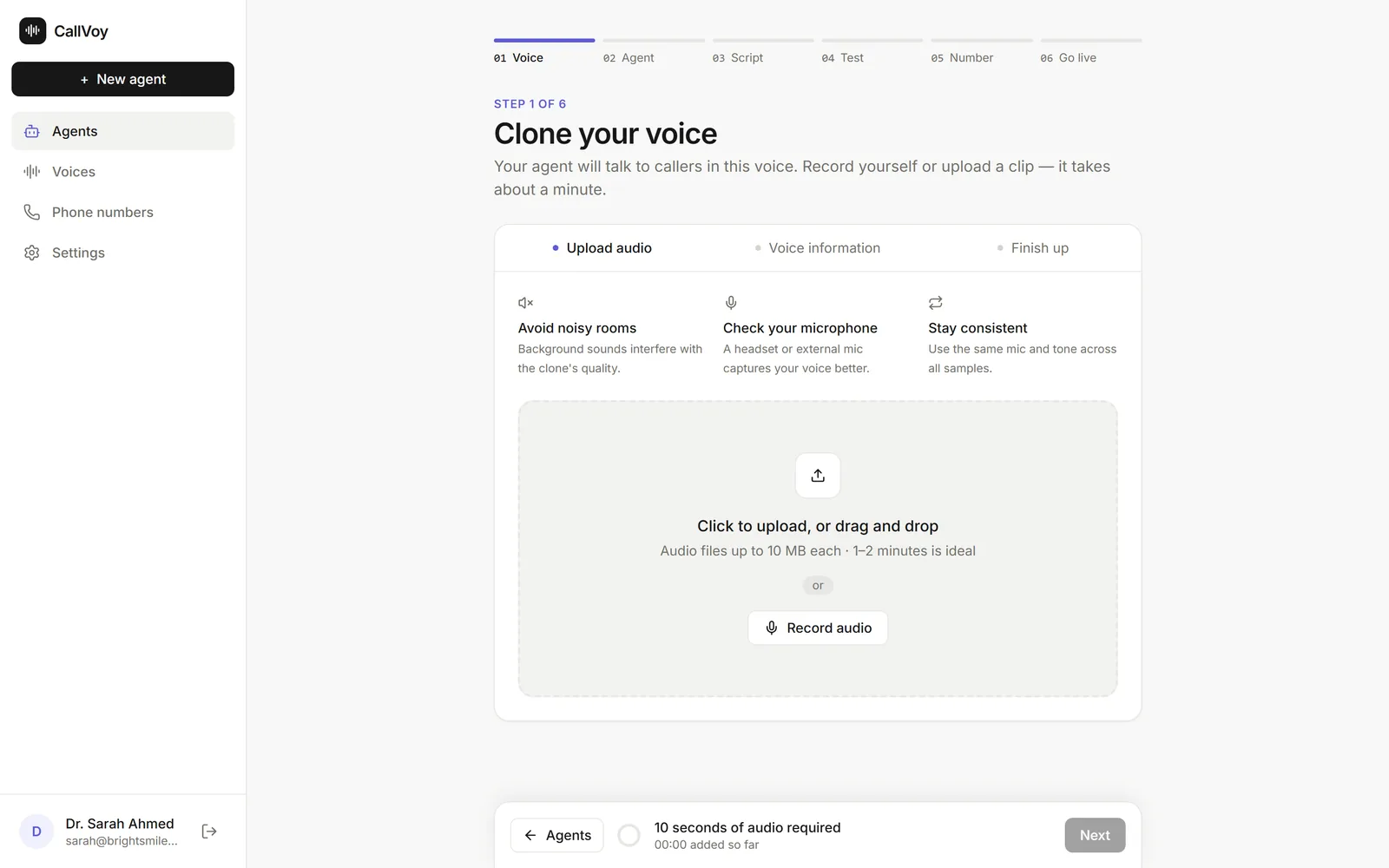
Clone your voice from about a minute of audio, recorded or uploaded.
What it handles
What your AI receptionist handles
The calls you miss are the ones that cost you: every unanswered call is a customer who rings the next place on the list. Your agent picks up when you're with a client, after hours, and on the day you're off.
Answers every call
Opening hours, prices, directions, what you offer — answered instantly, around the clock.
Books appointments
Collects the details to book, move or cancel an appointment, and takes messages when it can't help.
Qualifies leads
Asks new enquiries the few questions that matter, so you only call back the ones worth your time.
Speaks 40 languages
English, Urdu, Arabic, Hindi, French, German, Chinese, Japanese and more — in your cloned voice.
Keeps a call log
Every call with a summary and transcript, so you know what was asked and what was promised.
Changes in minutes
New prices or holiday hours? Edit the script, republish, done. No developer, no phone company.
Voice & data safety
Your voice, your callers, your rules
CallVoy's voice and call technology is built and run by Geniteam. Here is how we treat what you and your callers give us.
Only your voice, with your consent
Before a clone is made you confirm the voice is yours or that you have the speaker's permission. The clone belongs to your account and only speaks for your agents.
Callers' details stay in your account
Caller numbers, transcripts and summaries are stored for your call log, visible to you and the Geniteam team that supports you. They are never sold.
Delete any time
Remove a voice or an agent from its page and the samples and clone go with it. Close your account and the rest follows.
Honest with callers
Your agent says only what your script allows. We recommend telling callers they're speaking with an AI assistant, and the first message is the place to do it.
Hear it first
Talk to your own agent before you decide anything
Clone your voice, pick a template and call your agent from the browser. Free, and the whole thing takes a few minutes. No number, no commitment.
FAQ
Questions people ask
Will it really sound like me?
Do I need a phone number or a phone system?
What does it cost?
What does the agent do when it can't answer?
Which languages can it speak?
Your agent can take calls in 40 languages — English, Urdu, Arabic, Hindi, French, German, Chinese, Japanese and more — all in your cloned voice. You pick the language when you create the agent and can change it any time. The full list is under the video above.
Can I change what it says later?
How long does setup take?
Give your business a voice that never misses a call
Join early access today. It takes a minute to clone your voice and a few more to hear your agent answer.
Contact us
Talk to the team
Pricing, a phone number in your country, or whether CallVoy fits your business: send a message and a person replies by email, usually within one working day.
Prefer email? sales@geniteam.com